October 6, 2026 · InnerVoice Team
Announcing Print-Ready Posters & QR Codes: Share Your Suggestion Box Anywhere
Generate print-ready office posters with 1-click printing, PDF/PNG exports, and standalone vector QR codes for presentation slides and team docs.
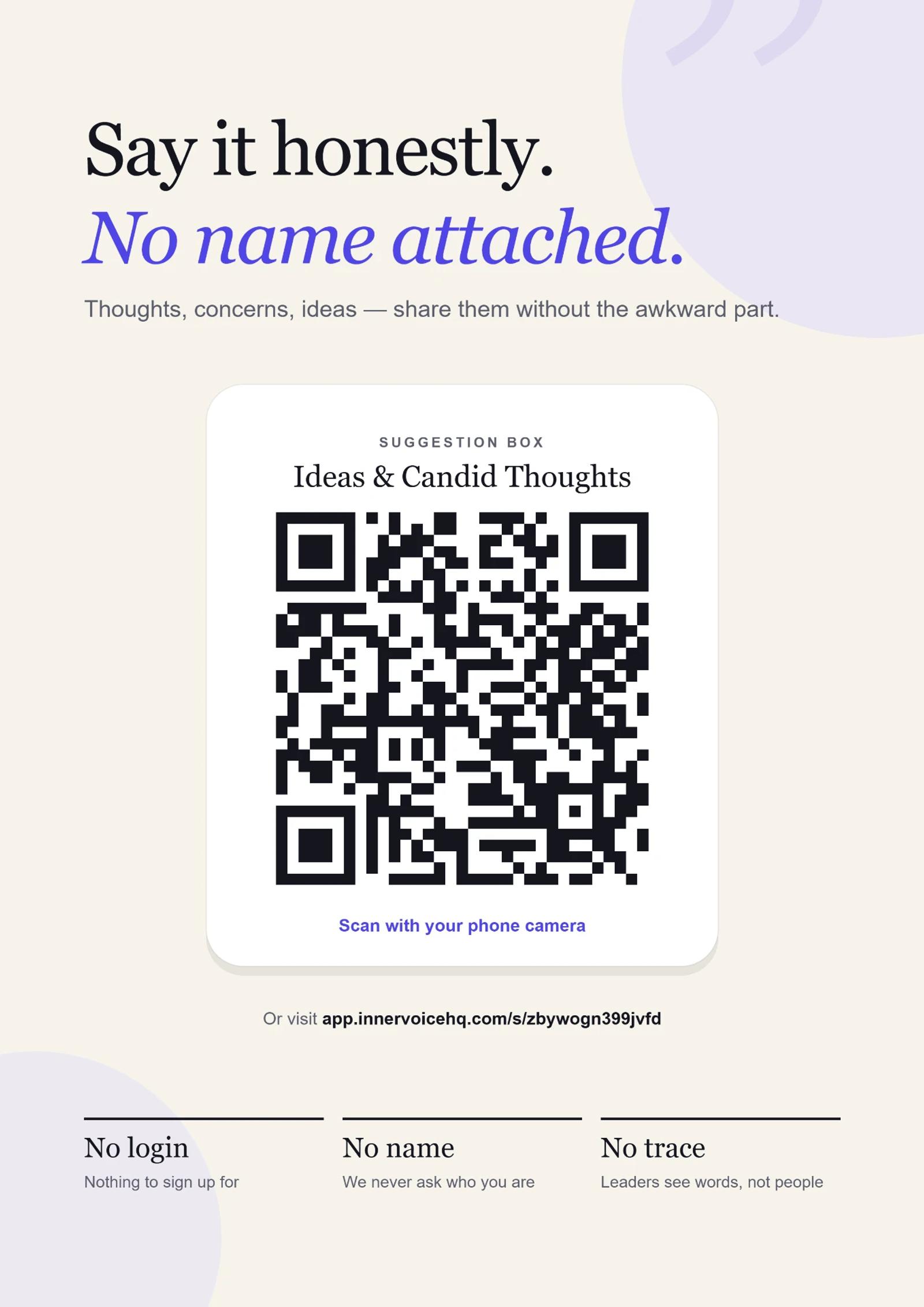
Great anonymous feedback only works when people actually remember to share it. While sharing links in Slack or email works, candid thoughts often strike when your team is away from their keyboards — sitting in an all-hands meeting, taking a coffee break, or reflecting after a difficult retrospective.
Today, we're launching enhanced sharing tools in InnerVoice: print-ready office posters and standalone vector QR codes, giving your team frictionless ways to gather candid feedback both in-person and on slides.
1. Print-Ready Office Posters
Physical presence builds real trust. When a team member sees a clean, thoughtfully designed sign on the office bulletin board or coffee station, it signals that leadership genuinely values honest thoughts.
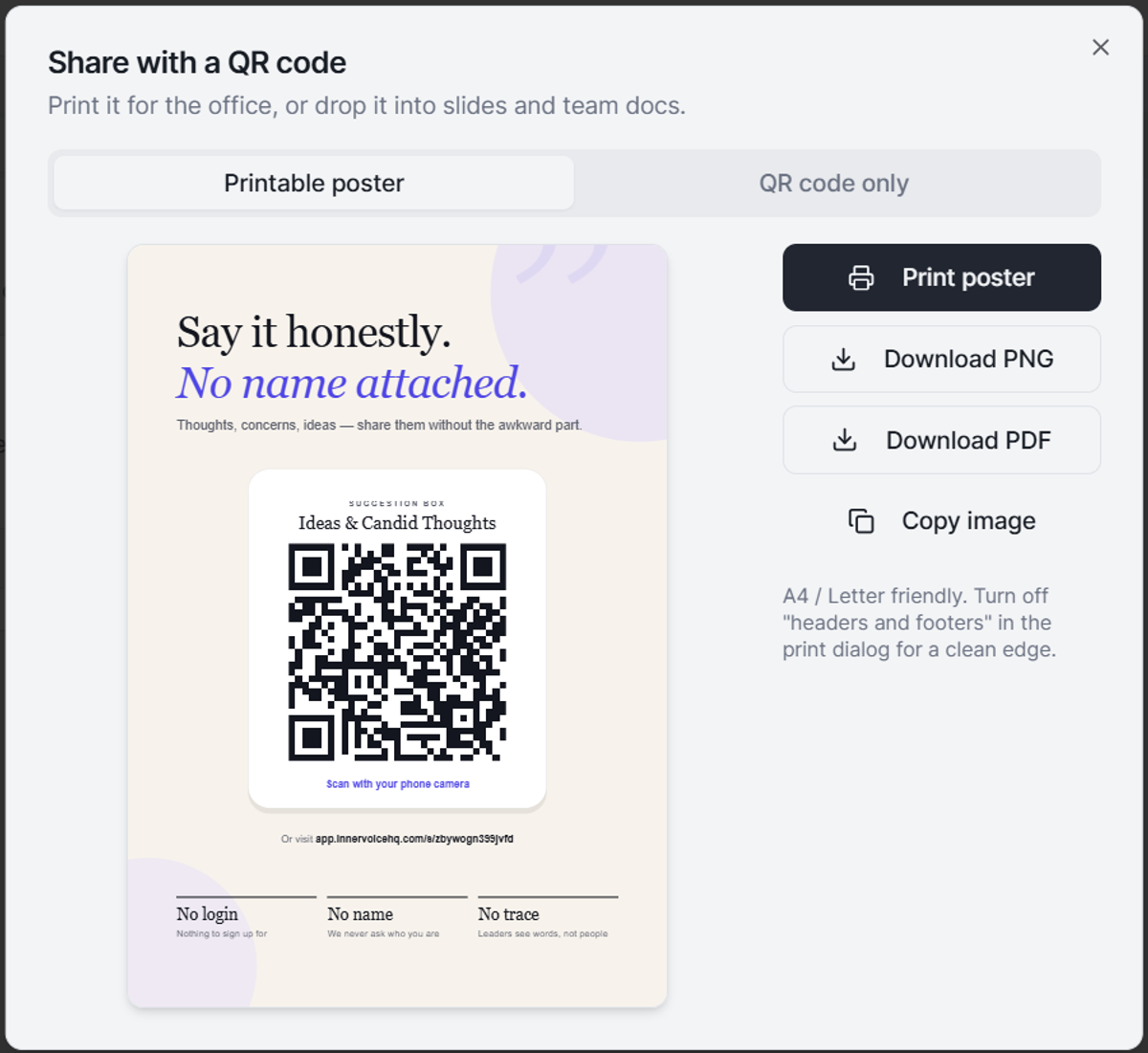
Our new printable poster is calibrated for standard A4 and US Letter sizes, featuring:
One-click native printing: Open your browser's print dialog directly with clean page borders and automatic margins.
Multi-format downloads: Export as a crisp high-res PNG or print-ready PDF for professional printing or digital distribution.
Instant clipboard copy: Copy the entire poster as an image in one click to drop into Slack announcements or company wikis.
Psychological safety built-in: Every poster prominently highlights our core privacy guarantees — No login required, No names tracked, and No trace left behind — reassuring respondents before they scan.
2. Standalone QR Codes for Slides & Digital Media
If you are hosting a team all-hands, presenting quarterly results, or embedding a feedback link into a Notion document, you don't always need a full-page poster. That's why we added a dedicated QR code tab.
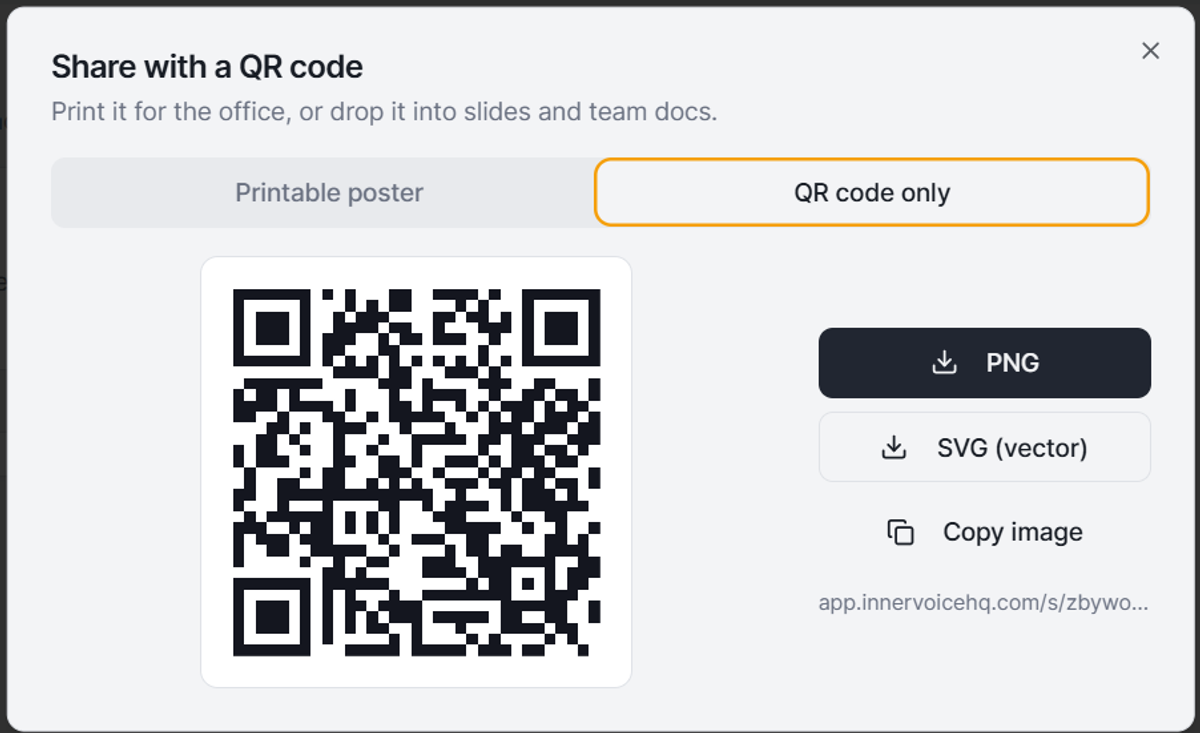
With the standalone QR code tool, you can export high-resolution PNGs or infinite-resolution vector SVGs that look immaculate on any 4K projector or slide deck. You can also copy the image directly to your clipboard or grab the short URL in seconds.
How to Access the New Sharing Options
These sharing enhancements are available right now for all suggestion boxes on your dashboard. Simply open any box, click Share with a QR code, and pick either Printable poster or QR code only.
Hear what your team won't say out loud.
Set up an anonymous suggestion box in under 60 seconds. Free forever.
Start free