October 10, 2026 · InnerVoice Team
When You Can't Ask a Follow-Up Question, Anonymous Feedback Dies
Someone leaves an important note in your suggestion box, but you can't ask what they meant without asking who they are. Now you can reply — and they stay anonymous.
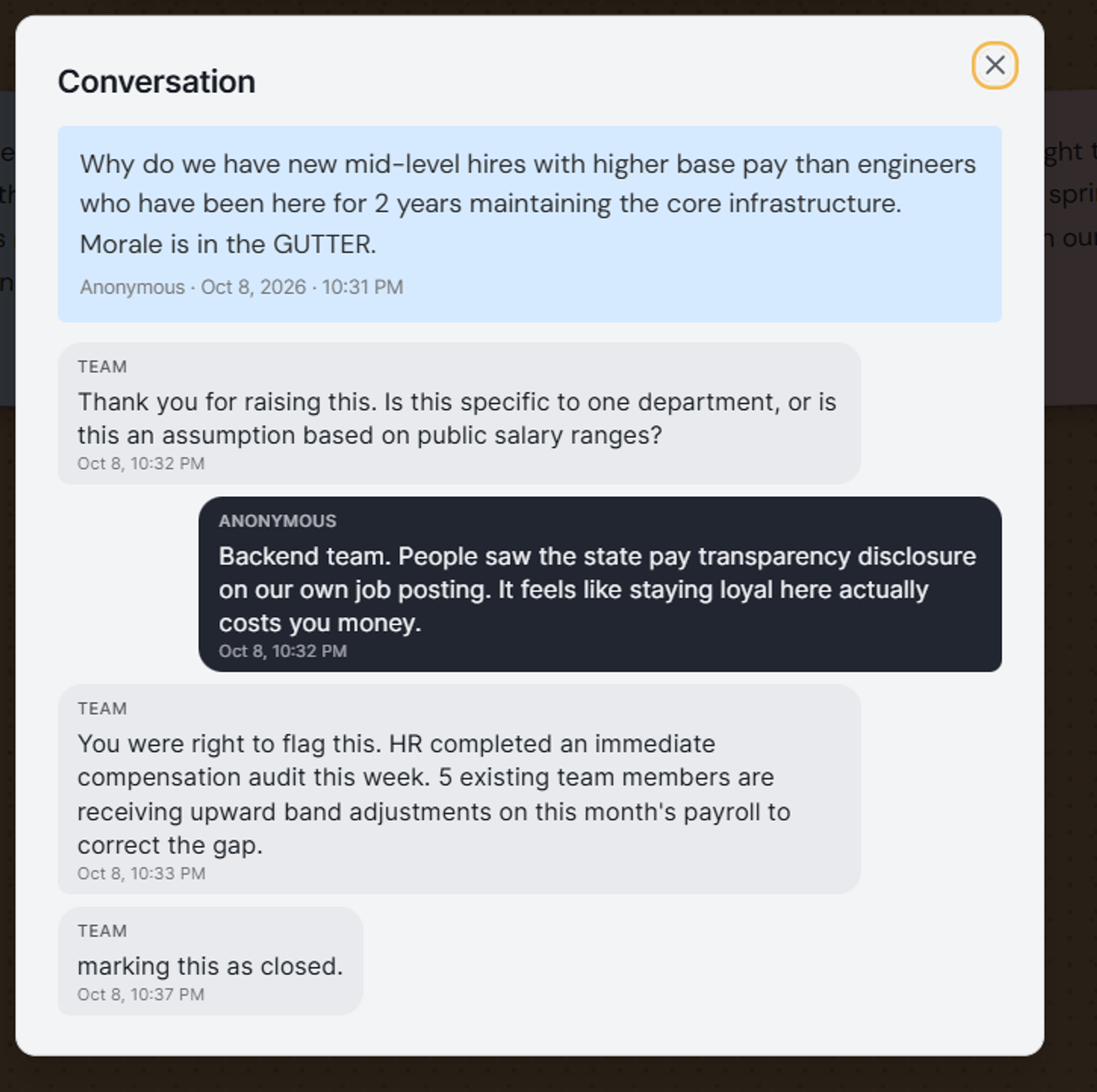
“It feels like staying here counts for less.”
Imagine someone leaves this message:
“New starters are being paid more than people who’ve been here for two years. People are upset, but nobody wants to be the one to bring it up.”
That’s difficult feedback to receive. You want to understand what’s happening, but the note alone doesn’t give you the full picture.
Are people comparing similar roles? Has something changed? What has led them to believe there’s a gap?
Asking “Who wrote this?” could silence the very person who helped you notice the problem. A private follow-up gives you another way:
Team: “Thank you for raising this. What prompted the concern? You don’t need to name anyone.”
Anonymous: “The pay range on our latest job advert is higher than what some existing staff earn for the same work. It feels like staying here actually costs you.”
Team: “That gives us something specific to check. We’ll review the advertised range against pay for comparable roles and update you here.”
The conversation hasn’t magically fixed the problem. But it has turned a painful message into something the organization can investigate—and given the sender a way to hear what happens next.
They didn’t need to reveal who they were. They needed a safe way to explain what they meant.
Now you can finally ask a follow-up question
Starting today, when someone leaves a suggestion in your InnerVoice box, you can simply reply to it. Ask what they meant, share a quick update, or let them know the problem is fixed — while the person who wrote it stays completely anonymous.
No accounts. No email required.
The person sharing feedback never has to log in, create an account, or give an email address. Here's how they keep the conversation going:
- A private link. After submitting a note, they get a private link they can bookmark or open on their phone to check for replies.
- Optional alerts. If they want, they can turn on browser notifications. When you reply, their device lets them know — no email needed.
- A quiet reminder. When they come back to your box or wall on the same device, a small badge shows if a new reply is waiting.
Once an issue is sorted, you can mark the conversation as closed.
Show the whole team that feedback matters
When a conversation leads somewhere good, you can share it on your team's public wall. You choose what goes up: just the original note, the whole conversation, or only the messages you pick. Everything else stays private.
Seeing real concerns answered in the open shows everyone that speaking up actually leads to change.
Built because you asked
People following my build-in-public updates about InnerVoice on X asked for a way to keep the conversation going. You can now ask a follow-up question, without asking the person sharing feedback to reveal who they are.
Hear what your team won't say out loud.
Set up an anonymous suggestion box in under 60 seconds. Free forever.
Start free